
Floating Sandbox
g2-labsSimulation
4.7152.00 Reviews
- Version
- 1.1.1.38
- Installs
- 50.00K
- Age Rating
- Everyone 10+
Screenshots
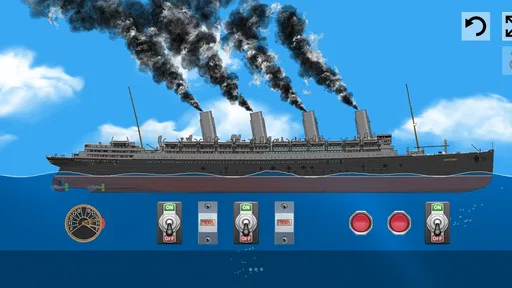
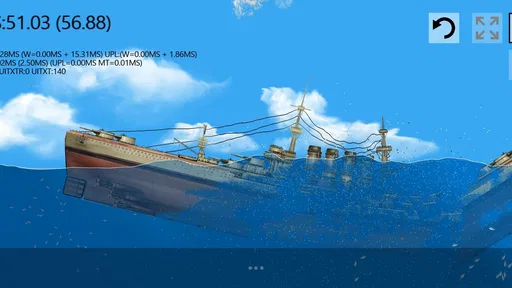
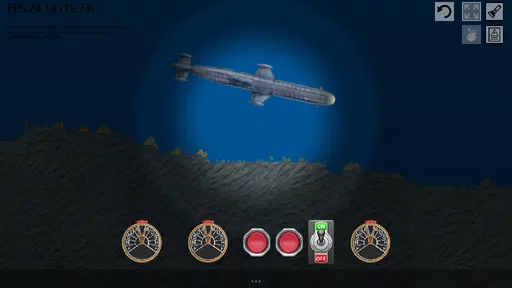
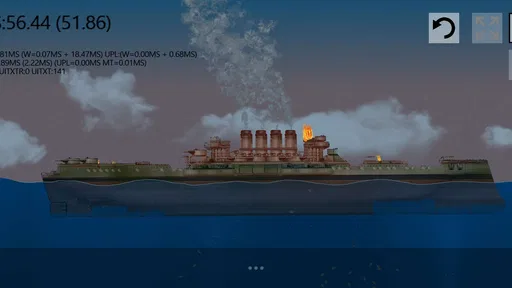
Our Review of Floating Sandbox
 Analysis by Appyee
If you’re a fan of simulation games that let you unleash your inner creativity while exploring the physics of buoyancy, then Floating Sandbox might just be what you're looking for. I’ve spent some time diving deep into this app, and it’s been quite the adventure. Let me walk you through my experience with it.
What the floating-ship experiment offers
The appealing idea here is to watch a ship respond to water and changing conditions, then use what happens to guide your next experiment. Rather than following a fixed objective, I find the pleasure in asking a small question—what might happen if this vessel is altered or the surrounding conditions change?—and seeing the result unfold. That open-ended loop is the part I’d put at the center of the experience.
It also makes the game a different kind of simulation from one built around managing a city, completing missions, or optimising a production line. There is no need to treat every session as a project with a finish line. I can try an idea, observe the outcome, and move on when I’ve had enough. For curious players, that freedom is a strength; anyone who wants clear goals and a steady sense of progression may find it less immediately satisfying.
Getting Started with Floating Sandbox
Jumping into Floating Sandbox was like opening a box of endless possibilities. The app is available for both Android and iOS, and getting it installed was a breeze. The interface is clean, intuitive, and very user-friendly. Even if you’re not a tech wizard, you’ll find your way around without much hassle.
Once you're in, you’ll notice the sandbox is your playground. The main attraction here is the ability to simulate different scenarios with ships and water. It’s not just about floating, but also about understanding how objects interact with each other in a liquid environment. You can build, modify, and even sink ships to your heart’s content.
Exploring Features
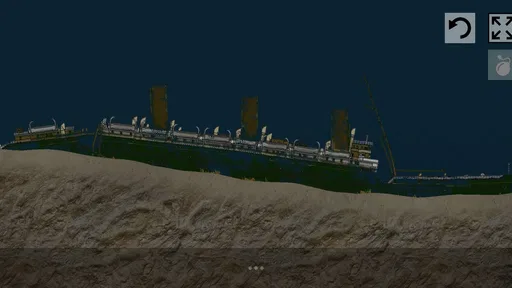
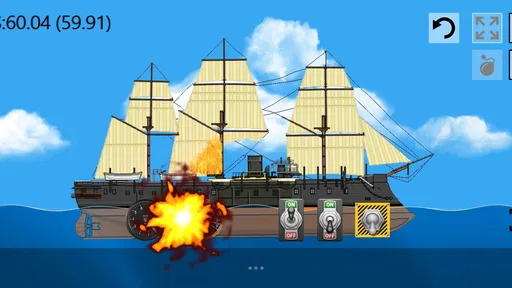
The app is packed with features that keep you engaged for hours. The most exciting part is manipulating the ships and watching them respond to your every command. The physics engine is remarkably realistic. Watching a ship split in two or capsizing is oddly satisfying. You can adjust the water density, wave height, and even the material of the ships to see how these factors affect buoyancy.
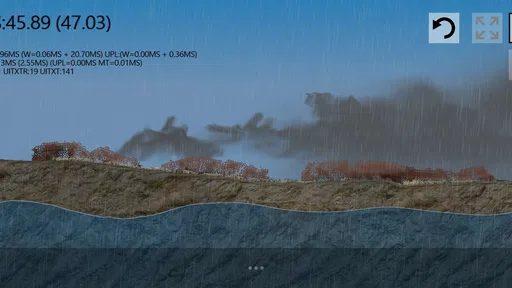
Another cool feature is the ability to switch between different environments. Whether it’s a calm sea or a stormy ocean, each scenario brings its own challenges and fun. You can test your creations in various weather conditions and see how they hold up. It’s like being a marine engineer without the degree!
Making experiments easier to read
I get more out of a session when I change one thing at a time. If I alter several details at once, a ship’s response can be interesting, but it is harder to tell which change mattered. Starting with a simple setup, making one adjustment, and watching the result gives the experiment a clearer shape. It’s a useful habit for anyone who wants to learn from the simulation rather than simply create a dramatic scene.
A practical everyday scenario is a short break between other tasks: I can spend a few minutes testing one idea, such as whether changing the conditions makes a vessel behave differently, then stop without needing to save a long campaign or remember a complicated objective. The game suits that kind of curiosity-led visit. It is less suited to a commute or waiting room if you want something that rewards quick taps with constant action; its appeal comes from paying attention to what the simulated objects do.
The Learning Curve
While the app is mostly intuitive, there’s a slight learning curve if you want to master all the features. But that’s part of the fun. Exploring and experimenting are key components of Floating Sandbox. As you become more familiar with the controls and possibilities, you’ll find yourself spending more time crafting intricate ships and testing their limits.
The app also offers a community where you can share your creations and see what others are doing. It’s a great way to get inspiration or just marvel at the creativity of fellow users. Plus, the developers seem pretty active in updating the app, which means new features and improvements are always on the horizon.
Where the trade-offs show up
The freedom to experiment does not automatically make every session compelling. If I arrive without an idea to test, the open-ended nature can leave me wondering what to do next. Players who prefer guided challenges, explicit objectives, or a story to pull them forward may be happier with a mission-based simulation. Here, the reward is the result you discover, not a checklist telling you what to complete.
It is also worth approaching the physics as a playful simulation rather than a substitute for engineering software or a formal lesson. Watching a vessel respond can prompt useful questions about buoyancy and stability, but I would not rely on a game to make real-world design decisions. For a younger player or a family sharing a device, that distinction matters: it can spark interest and conversation, while an adult or teacher can add the real-world context.
Compared with typical building games, the focus is not simply on assembling something attractive. The satisfying part is observing the interaction between a ship and its watery surroundings. Compared with more structured simulation games, there is less emphasis on goals and management. That difference is exactly why it may appeal to tinkerers, but it is also the reason I would steer a goal-oriented player toward a simulation with clearer tasks.
Why You’ll Love It
If you’re anything like me and love tinkering with things, then you’ll find Floating Sandbox irresistible. The app provides a perfect blend of creativity, education, and entertainment. It’s not every day you come across an app that lets you play around with physics in such a hands-on way.
The graphics, while not cutting-edge, are charming and get the job done. The focus here is more on the mechanics and less on visual flair, which is a refreshing change of pace. You get to focus on the fun of the simulation without being distracted by unnecessary bells and whistles.
Who gets the most from it
I’d recommend this to players who enjoy testing possibilities, watching cause and effect, and taking their time with a simulation. It can also suit someone who wants a low-pressure way to explore ideas about floating and sinking without needing to commit to a long sequence of levels. Its Everyone 10+ age rating makes the audience broad, though younger players may enjoy it most when someone helps turn observations into questions.
The practical buying decision is straightforward: it costs $4.49, so I’d choose it when the central ship-and-water experiment sounds appealing in its own right, rather than expecting a broad collection of unrelated activities. The game has a 4.7 average from around 828 ratings, and it has passed 10,000 installs. Those figures suggest it has found an audience, but the deciding factor for me is still whether you enjoy open-ended tinkering.
It is listed as a simulation game from g2-labs, with version 1.1.0.34 and a minimum operating-system requirement of 8.0. It was released on December 17, 2025. Before buying, I would check that the device meets the system requirement and consider whether the small-scale, experiment-first style is the kind of play I want. Someone seeking a free-to-play loop, a competitive mode, or a tightly directed campaign should look elsewhere rather than assume those are the point here.
Final Thoughts
In a world filled with apps vying for your attention, Floating Sandbox stands out by offering something unique and engaging. Whether you’re a curious mind looking to learn about physics, or just someone who enjoys a good simulation game, this app is worth checking out.
So, if you’re ready to dive into the world of shipbuilding and buoyancy, head over to your app store and give it a go. You might just find yourself lost in a sea of fun.
Verdict
Strengths of Floating Sandbox
- Realistic physics simulation enhances immersion.
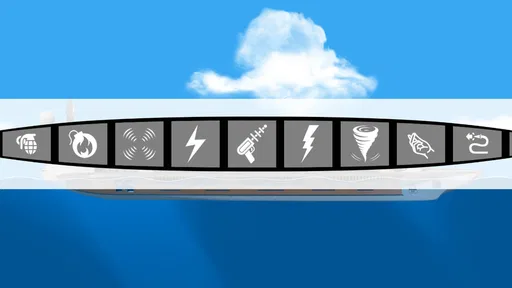
- Highly customizable scenarios and settings.
- Free to play with no in-app purchases.
- Intuitive controls for easy navigation.
- Regular updates with new features.
Limitations of Floating Sandbox
- Limited to single-player mode only.
- Graphics may not appeal to everyone.
- No tutorial for beginners.
- Requires a high-performance device.
- Sound effects can be repetitive.
Similar Picks in This Category
View All
Truckers of Europe 3
Wanda Software4.3

Town Building Life Simulator
XGame Global4.2

Fidget Toys Trading・Pop It 3D
Freeplay Inc4.7

Sculpt People
CrazyLabs LTD4.4

Scary Teacher 3D
Z & K Games4.2

Hair Tattoo: Barber Shop Game
CASUAL AZUR GAMES4.3
Frequently Asked Questions
What is Floating Sandbox, and how does it work?
Floating Sandbox is a physics-based simulation game where players can design, build, and sink their own ships. It utilizes realistic buoyancy mechanics and allows users to interact with water and weather conditions. Players can test ship designs against various scenarios, making it both educational and entertaining.
Is Floating Sandbox available on both Android and iOS platforms?
As of now, Floating Sandbox is primarily available for PC. It has not been officially released for Android or iOS. However, users interested in playing on mobile may find unofficial versions or similar apps, though they should exercise caution regarding their authenticity and security.
Are there any costs associated with downloading or playing Floating Sandbox?
Floating Sandbox is free to download and play. However, players should be aware that while the game itself is free, there may be unofficial versions or add-ons that charge fees. Always download from a trusted source to avoid any hidden costs or malware.
What are the system requirements to run Floating Sandbox?
Floating Sandbox is designed to run on PC with modest system requirements. It generally requires a Windows operating system, a basic processor, and a reasonable amount of RAM. Players should check the developer’s website for specific details to ensure compatibility with their system.
Can I create my own ships in Floating Sandbox, and share them with others?
Yes, Floating Sandbox allows players to design and create their own ships using the in-game tools. While the game does not have a built-in sharing feature, players can share their creations by exporting and sharing files through external means, such as forums or file-sharing platforms.
Play our best games!


